
refer to:
快速过程:
1. 申请个access key
2. 申请个ses的production access
3. 使用下面代码就可以发送了。
ruby代码:
require 'aws-sdk-ses'

ses = Aws::SES::Client.new(
  region: 'eu-central-1',
  access_key_id: 'AKIA5YILKICxxx',
  secret_access_key: 'n6RZjOT/+2GeampMoy5HQrtG+6xxx'
)


ses.send_email(
  destination: {
    to_addresses: ['[email protected]']
  },
  message: {

    body: {
      html: {
        data: "<p> 你好啊,今天天气不错! 赶紧来啊</p>",
        charset: "UTF-8"
      }
    },
    subject: {
      data: "一起吃早饭啊!",
      charset: "UTF-8"

    }
  },
  source: "[email protected]"
)
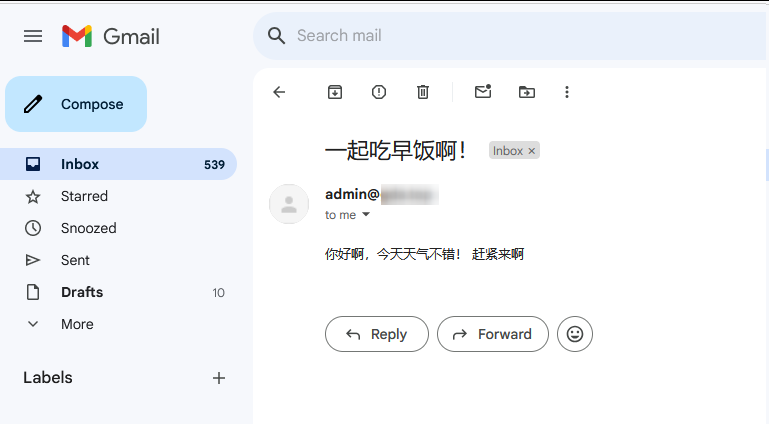
结果:
下面是详细的过程:
1. 有个aws的账号。
2. 进入到SES
3. 需要知道的概念:ses 有两个credential: 一个是email, 一个是域名
这两个都可以用来发送邮件:
例如:我用 [email protected] 发送邮件(此时credential是 该email),
再如:我用 siwei.com 的任意邮箱([email protected]) 发送邮件(此时credential是域名)
所以,我们直接创建域名:
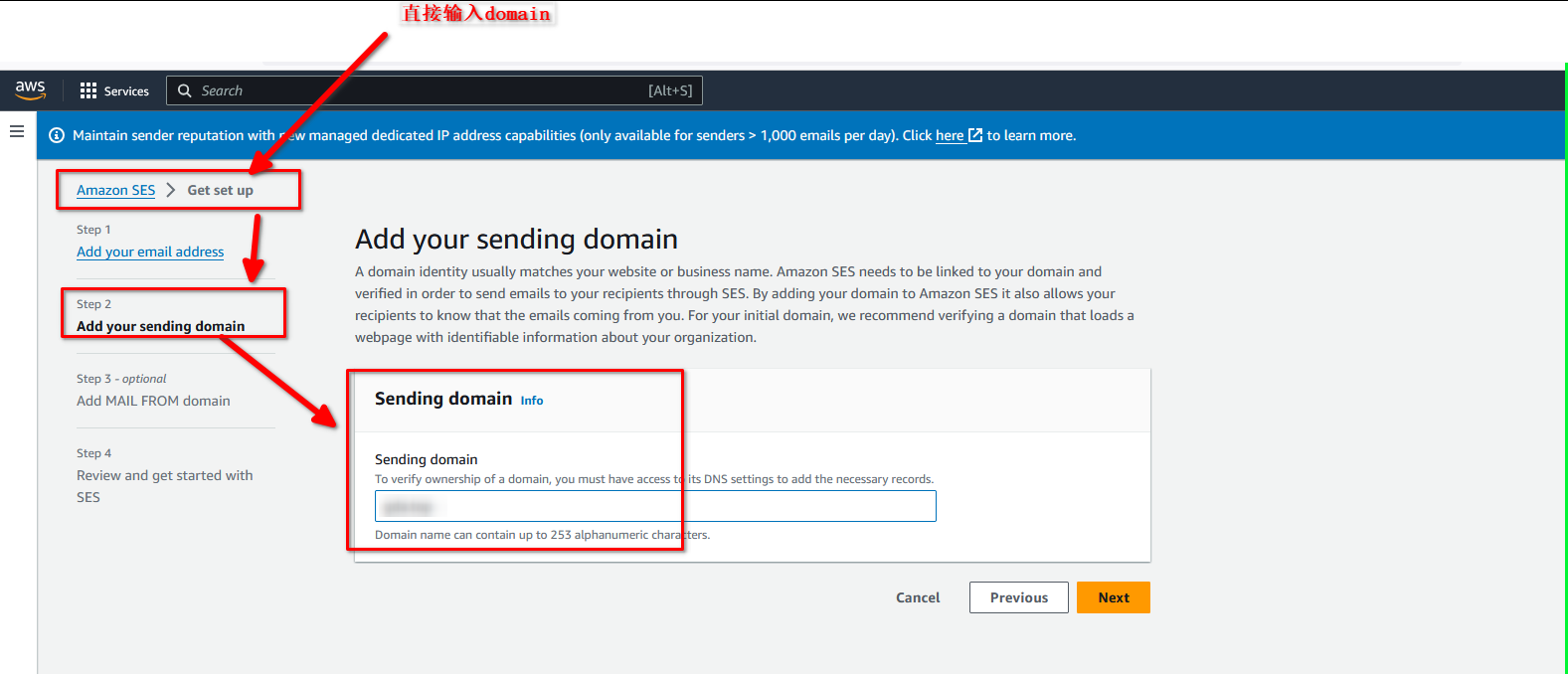
设置该域名:
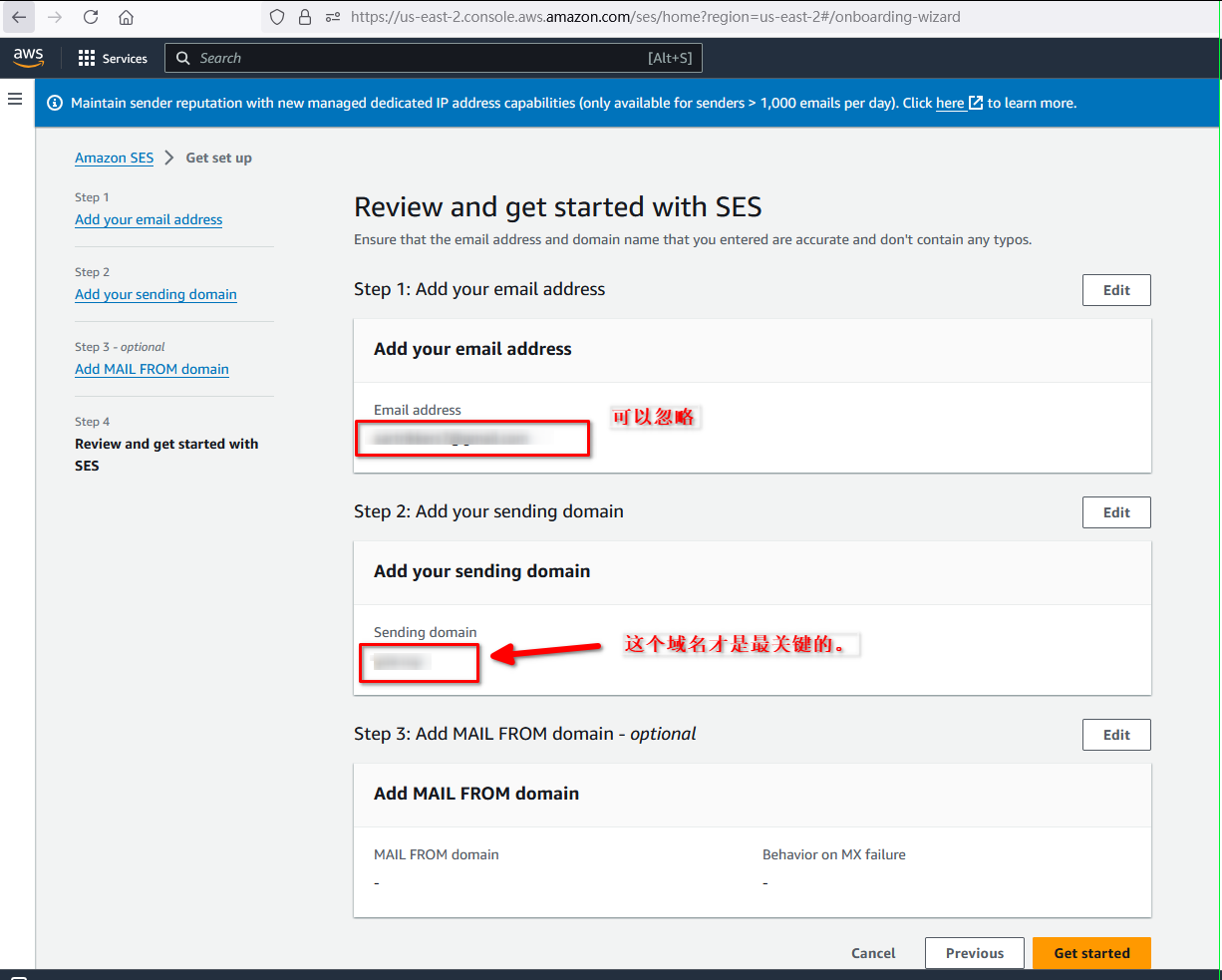
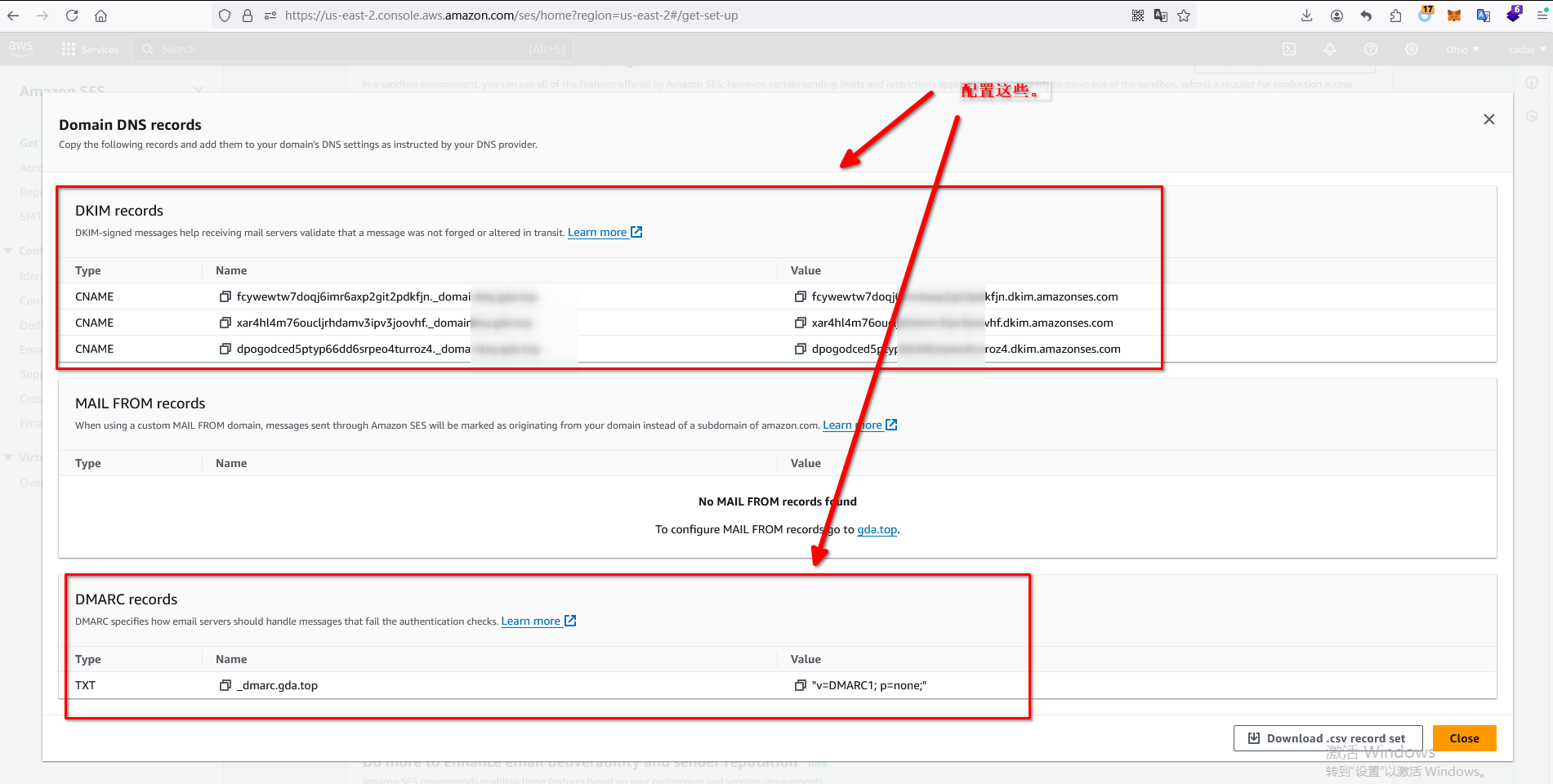
根据aws给出的CNAME, 配置 SPF, DMARC, DKIM等,就可以了。
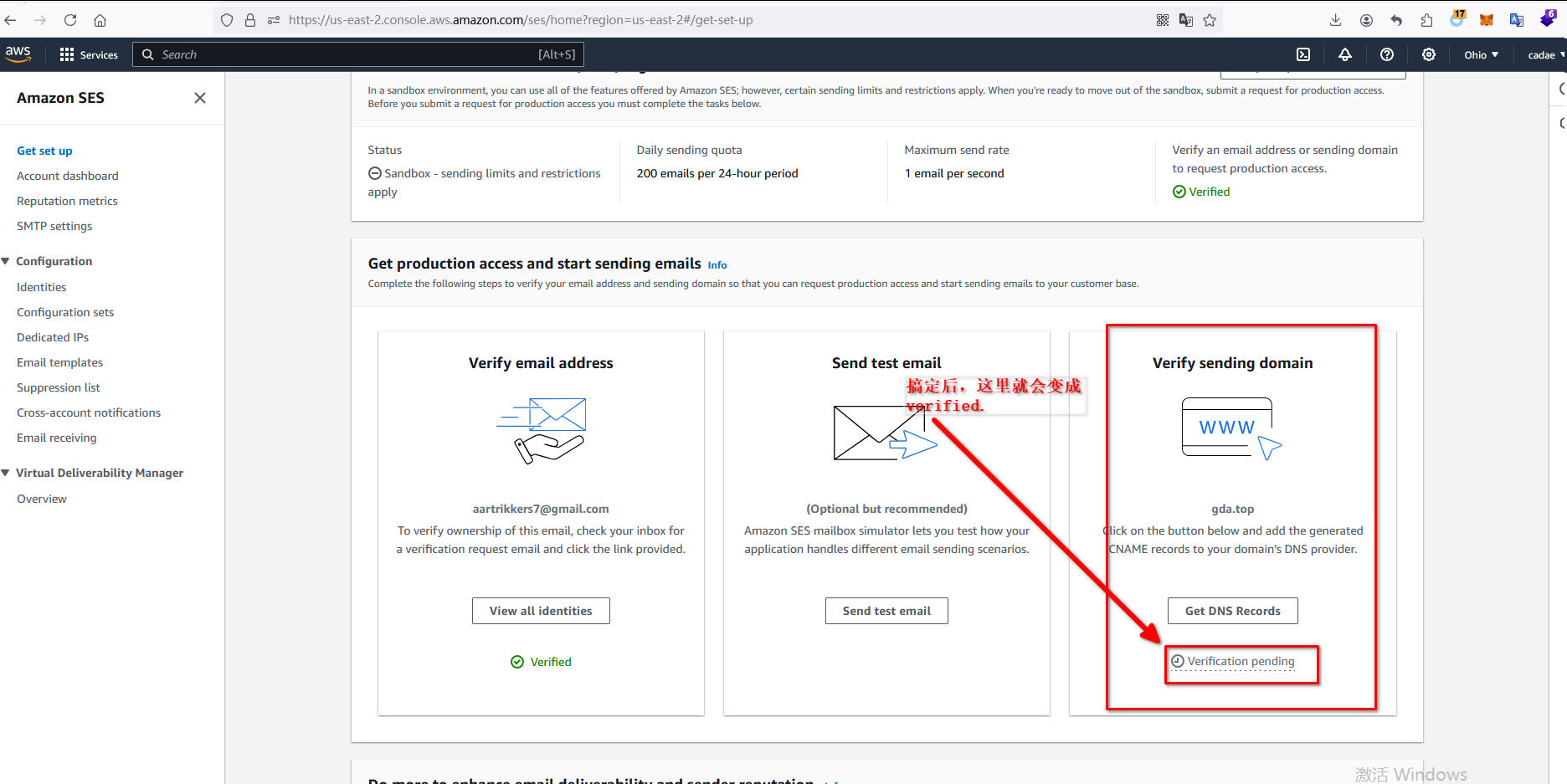
如下图:
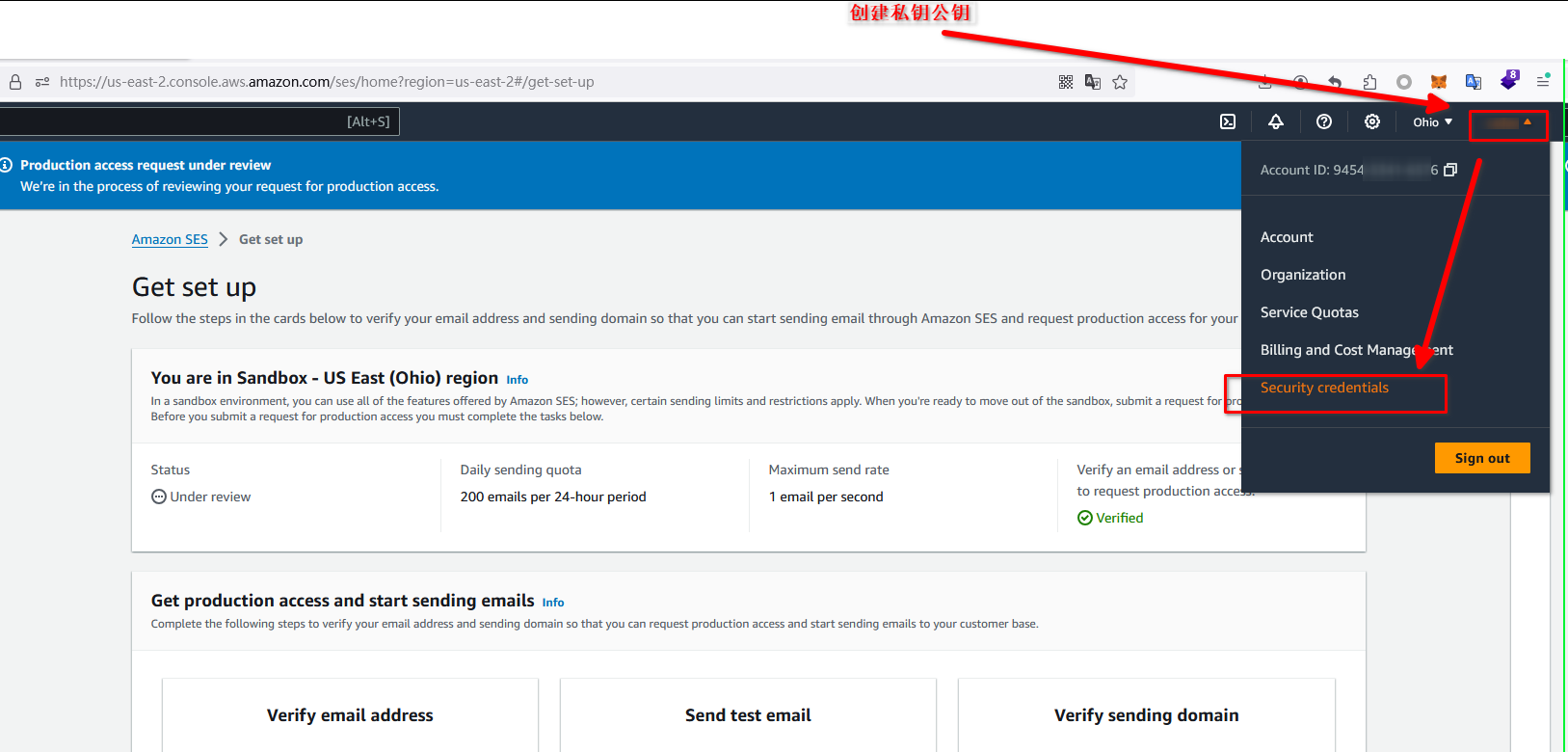
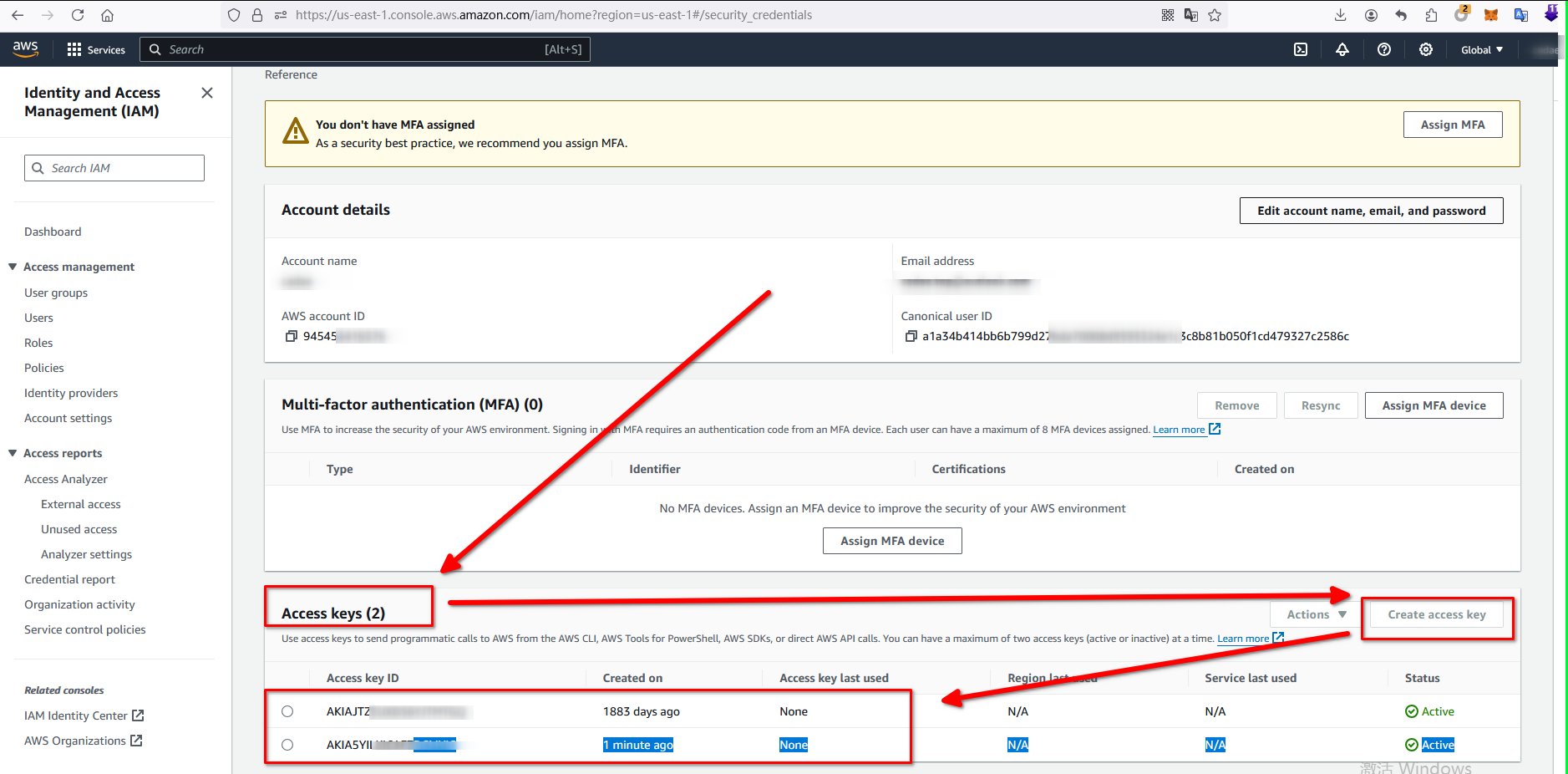
4. 创建私钥公钥
创建后,可以在这里看到:
5. 申请生产权限(在域名列表中,找一下,有个入口)
6. 客服大概在30分钟内回复,挺快的。
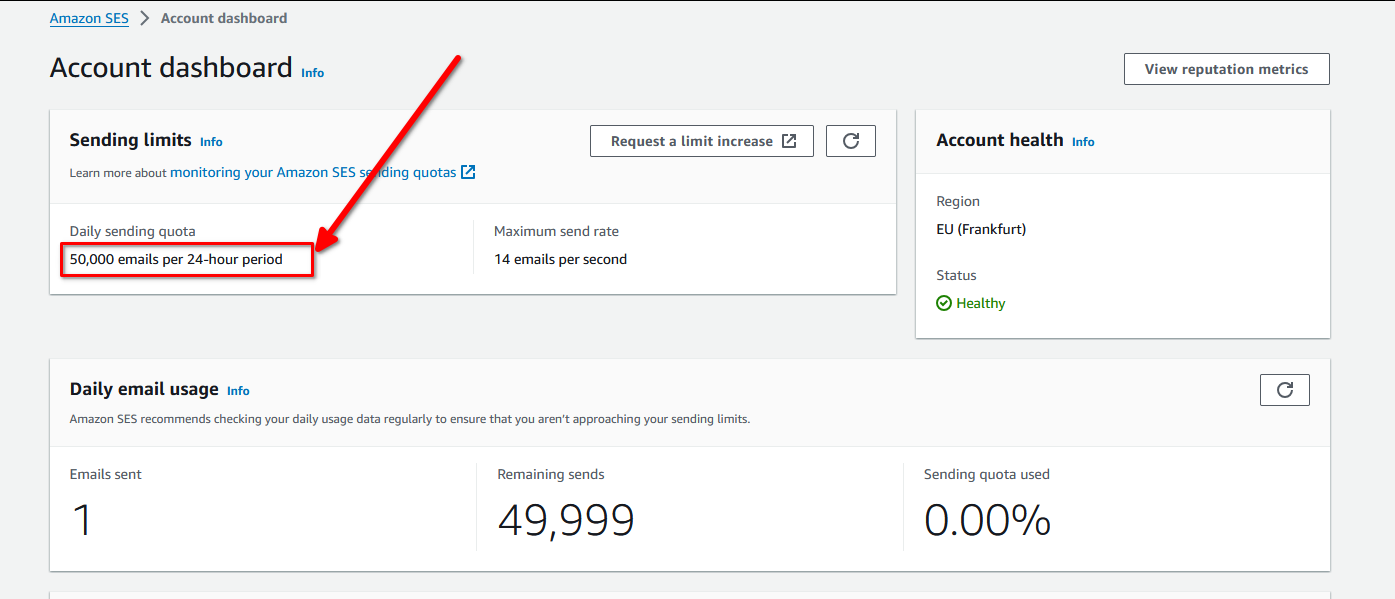
7. 然后,就可以看到,每天发信的频率从200飙升到了50000。
8. 然后按照上面的步骤,就可以发送email了。