
参考:https://hexdocs.pm/phoenix/up_and_running.html
创建新项目:
mix phx.new
$ mix phx.new hello
* creating hello/config/config.exs
* creating hello/config/dev.exs
* creating hello/config/prod.exs
* creating hello/config/prod.secret.exs
* creating hello/config/test.exs
* creating hello/lib/hello/application.ex
* creating hello/lib/hello.ex
* creating hello/lib/hello_web/channels/user_socket.ex
* creating hello/lib/hello_web/views/error_helpers.ex
* creating hello/lib/hello_web/views/error_view.ex
* creating hello/lib/hello_web/endpoint.ex
* creating hello/lib/hello_web/router.ex
* creating hello/lib/hello_web.ex
* creating hello/mix.exs
* creating hello/README.md
* creating hello/.formatter.exs
* creating hello/.gitignore
* creating hello/test/support/channel_case.ex
* creating hello/test/support/conn_case.ex
* creating hello/test/test_helper.exs
* creating hello/test/hello_web/views/error_view_test.exs
* creating hello/lib/hello_web/gettext.ex
* creating hello/priv/gettext/en/LC_MESSAGES/errors.po
* creating hello/priv/gettext/errors.pot
* creating hello/lib/hello/repo.ex
* creating hello/priv/repo/migrations/.formatter.exs
* creating hello/priv/repo/seeds.exs
* creating hello/test/support/data_case.ex
* creating hello/lib/hello_web/controllers/page_controller.ex
* creating hello/lib/hello_web/templates/layout/app.html.eex
* creating hello/lib/hello_web/templates/page/index.html.eex
* creating hello/lib/hello_web/views/layout_view.ex
* creating hello/lib/hello_web/views/page_view.ex
* creating hello/test/hello_web/controllers/page_controller_test.exs
* creating hello/test/hello_web/views/layout_view_test.exs
* creating hello/test/hello_web/views/page_view_test.exs
* creating hello/assets/webpack.config.js
* creating hello/assets/.babelrc
* creating hello/assets/css/app.css
* creating hello/assets/css/phoenix.css
* creating hello/assets/js/app.js
* creating hello/assets/js/socket.js
* creating hello/assets/package.json
* creating hello/assets/static/robots.txt
* creating hello/assets/static/images/phoenix.png
* creating hello/assets/static/favicon.ico

Fetch and install dependencies? [Yn]
* running mix deps.get
* running cd assets && npm install && node node_modules/webpack/bin/webpack.js --mode development
在上面一部选择 Y的时候,进程不响应,不要紧,
cd hello
记得要安装好postgres ,配置数据库。
配置文件在config目录下
config/config.exs: 常见的配置,包括:数据库的名称, server 的IP地址等
config/dev.exs 覆盖的配置,例如: 数据库的用户名, 数据库名,密码, server IP地址
例如,修改服务器的 ip 与端口号:
 config :hello_elixir, HelloElixirWeb.Endpoint,
   http: [ip: {0, 0, 0, 0}, port: 4000],
创建数据库:
mix ecto:create // 类似于 rake db:create
mix phx.server // 类似于 rails server
然后打开 <ip>:4000 , 就可以看到内容了。
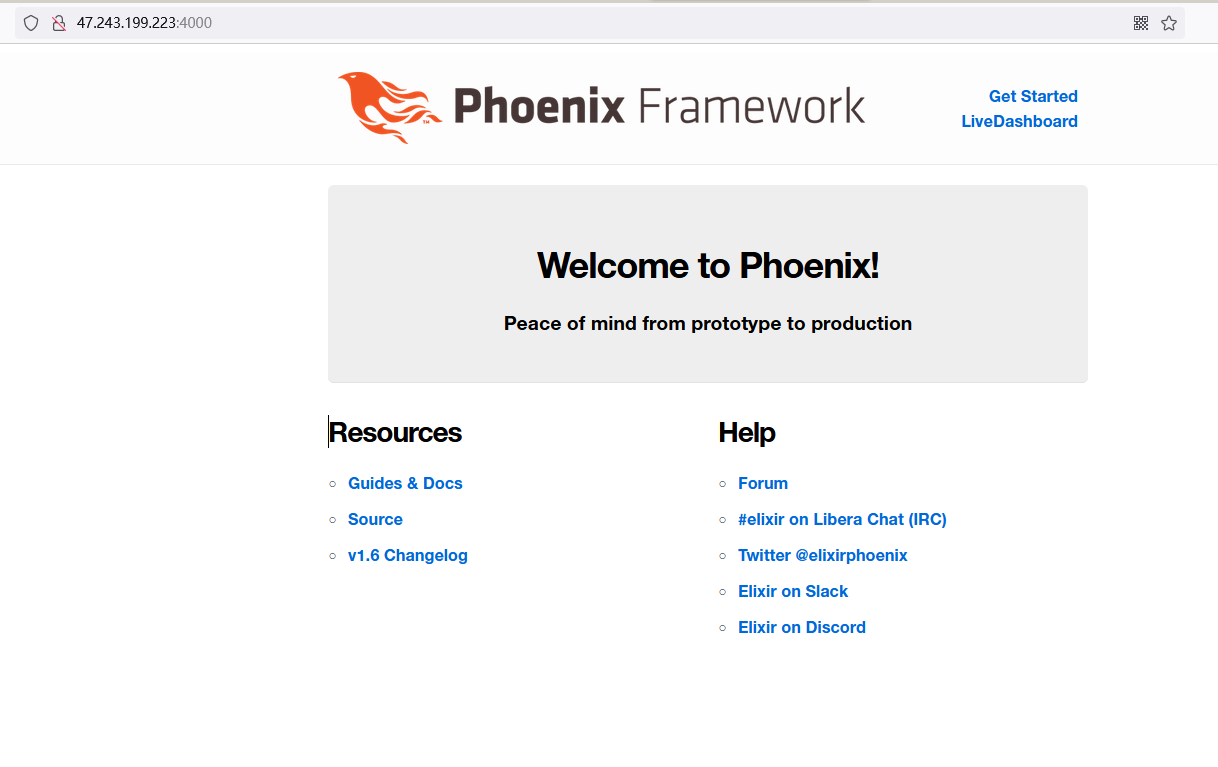
mix deps.gettext
会
mix.exs: 包含了该项目的入口,类似于 gemspec 和 rack, 包含了项目的信息,依赖和 application的函数声明
也类似于 Gemfile (因为会有 mix.lock文件)
文件夹结构
▸ _build/
▾ assets/             # 静态文件内容
  ▸ css/
  ▸ js/
  ▸ vendor/
▾ config/               # 配置文件夹
    config.exs         # 总体的配置, 会被其他 dev.exs , prod.exs 所覆盖
    dev.exs
    prod.exs
    runtime.exs
    test.exs
▸ deps/                 # 类似于node_modules 文件夹。包含了很多第三方包
▾ lib/
  ▸ hello_elixir/
  ▾ hello_elixir_web/
    ▸ controllers/
    ▸ templates/
    ▸ views/
      endpoint.ex
      gettext.ex
      router.ex
      telemetry.ex
    hello_elixir.ex
    hello_elixir_web.ex
▸ priv/
▸ test/               # 测试文件夹,  单元测试

  mix.exs            # 项目的配置文件,类似于 Gemfile
  mix.lock           # 类似于Gemfile.lock
  README.md
重要的 lib 文件夹
▾ lib/
  ▾ hello_elixir/
      application.ex
      mailer.ex
      repo.ex
  ▾ hello_elixir_web/
    ▾ controllers/
        page_controller.ex  # 就是rails中的controller, 里面包含了多个action, 每个action都有对应的page( page/index.html.heex)
    ▾ templates/
      ▾ layout/
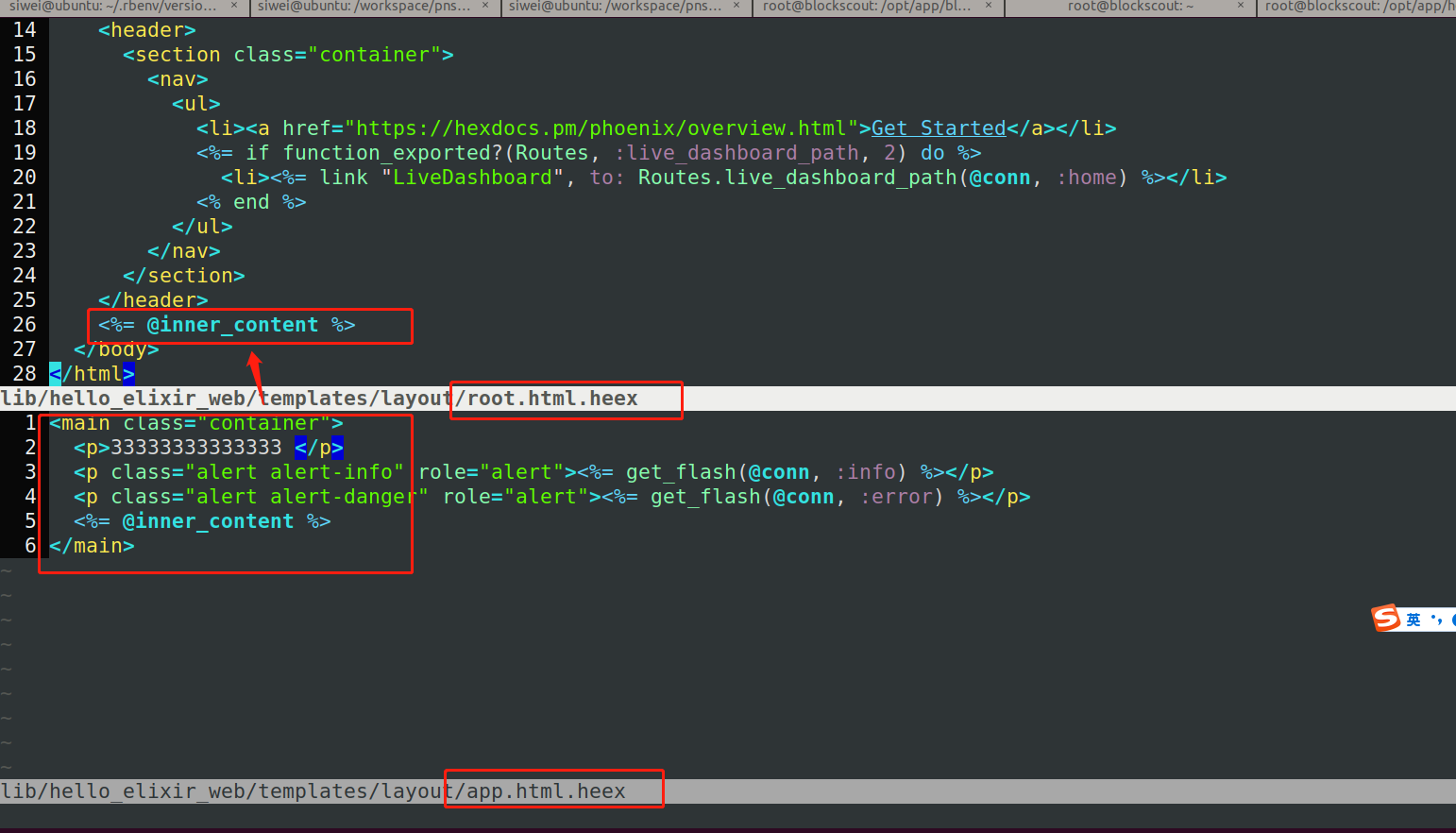
          app.html.heex     # 这里是第二层layout, 会被包含在root中。
          live.html.heex    # 就是显示各种报警信息,alert, info, error啥的,贼简单可以忽略
          root.html.heex    #  就是rails中的layout/application.html.erb 最外层的html layout
      ▾ page/
          index.html.heex   # 就是对应的 index.html.erb 文件,对应某个action
    ▾ views/               # 基本没啥用,类似于rails中的 errror helper 方法。不是partial
        error_helpers.ex    # 出错的helper , 没用过
        error_view.ex       # 没用过
        layout_view.ex      # 貌似没用过
        page_view.ex
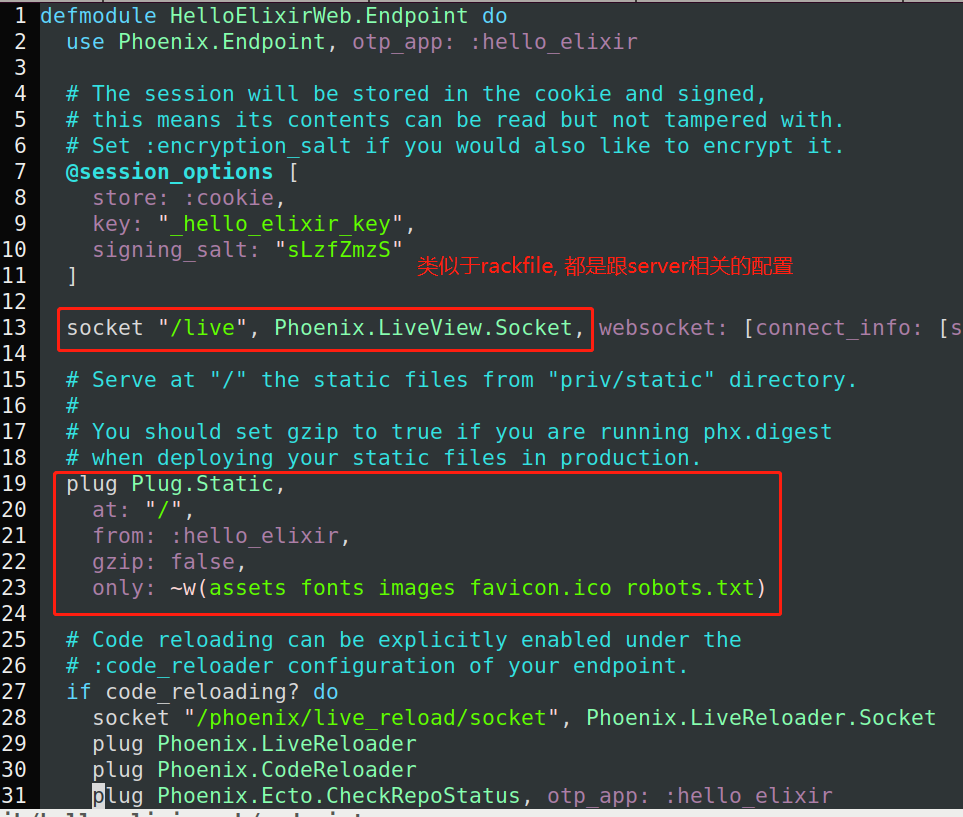
      endpoint.ex           # 类似于 rackfile,  服务器的配置
      gettext.ex            # 不重要,类似于 lib/xx.rb 下的方法,辅助性的方法
      router.ex             # router , 路由文件,也包含了http server的各种信息
      telemetry.ex          # 不重要,一些度量方法,用来性能优化啥的。
    hello_elixir.ex         # 没有内容,应该属于站位用的文件,
    hello_elixir_web.ex     # 有内容,没他不行,定义了使用的各种controller/action, 废文件,留着就好了
root.html.heex:
@inner_content 就会渲染对应的内容
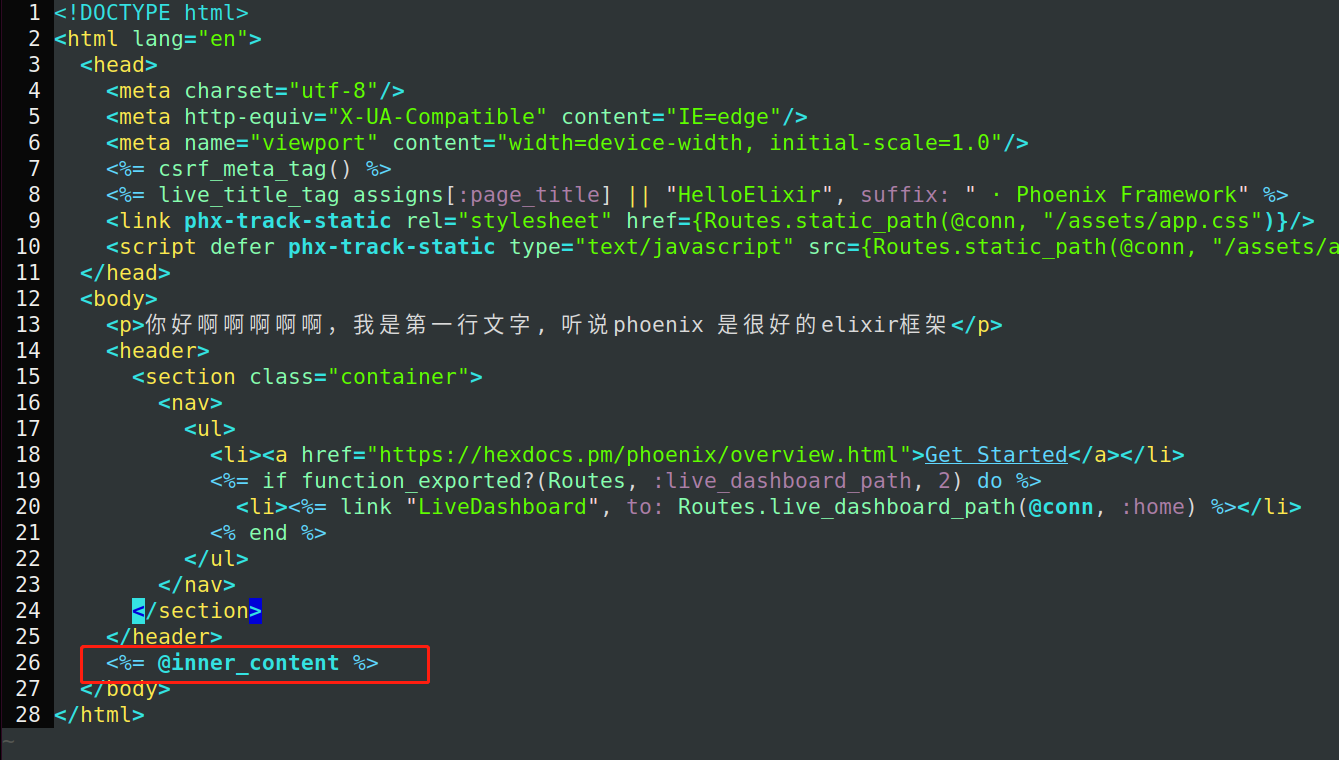
app.html.heex
第二层layout
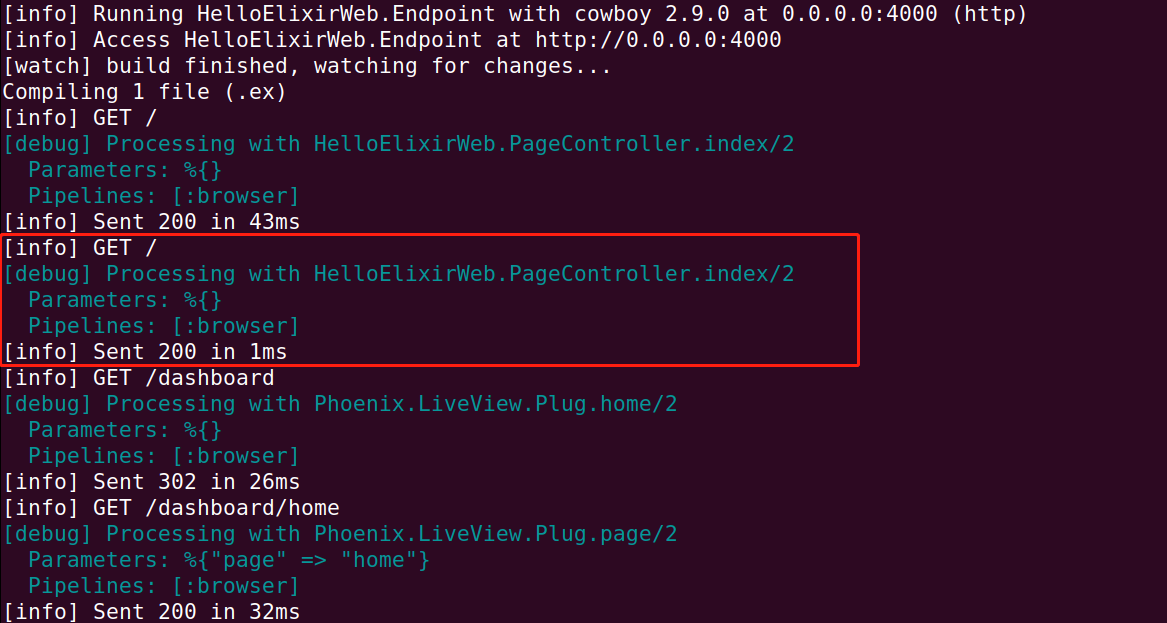
启动后的后台日志信息
Controller 与 Action 与 html.erb
跟Rails的几乎一样。
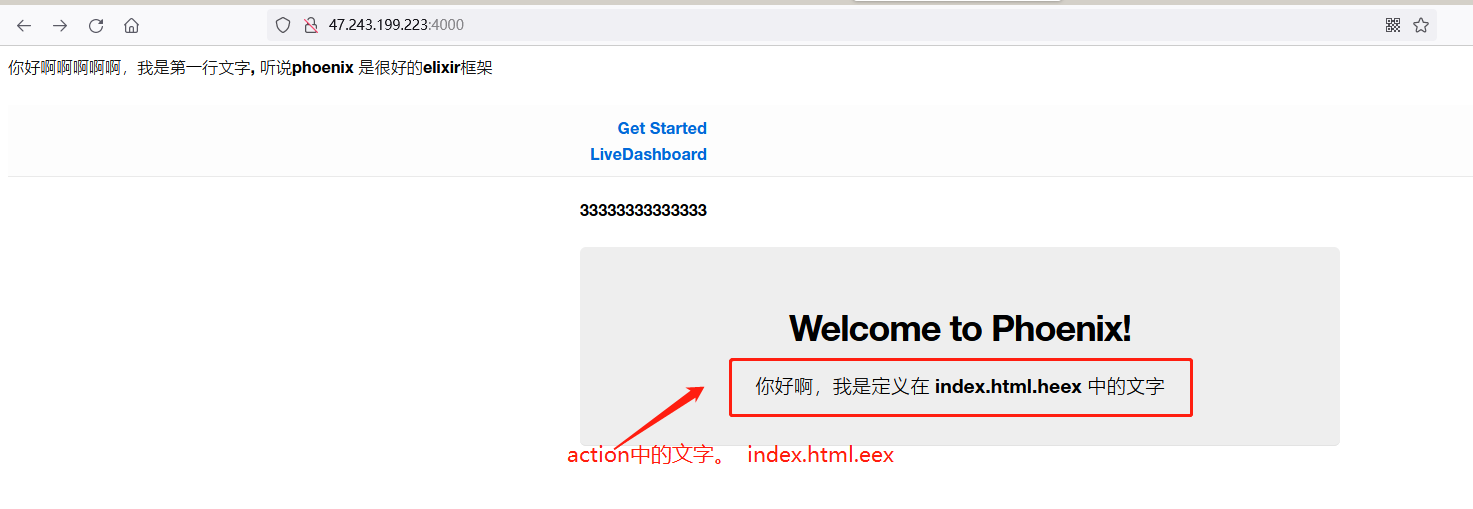
controller如下:
# lib/hello_elixir_web/controllers/page_controller.ex
  1 defmodule HelloElixirWeb.PageController do
  2   use HelloElixirWeb, :controller
  3
  4   def index(conn, _params) do
  5     render(conn, "index.html")
  6   end
  7 end
view 如下:

所以效果如下:
endpoint.ex 基本别改
router 路由:
跟rails中的几乎一样,除了前面多了pipeline ... 后面的几乎一样,指定 path, controller,
defmodule HelloElixirWeb.Router do
  use HelloElixirWeb, :router

  pipeline :browser do
    plug :accepts, ["html"]
    plug :fetch_session
    plug :fetch_live_flash
    plug :put_root_layout, {HelloElixirWeb.LayoutView, :root}
    plug :protect_from_forgery
    plug :put_secure_browser_headers
  end

  scope "/", HelloElixirWeb do
    pipe_through :browser

    get "/", PageController, :index
  end
priv 文件夹
类似于rails的public 目录.
▾ priv/
  ▾ gettext/        # 基本没用
    ▸ en/
      errors.pot
  ▾ repo/           # 等同于rails的db , 包含了migration , seeds
    ▾ migrations/
      seeds.exs
  ▾ static/         # 包含了css, js ,image的文件夹
    ▾ assets/
        app.css
        app.js
    ▸ images/
      favicon.ico
      robots.txt
test 文件夹
就是单元测试文件夹,跟rails unit test一样
▾ test/                           #整个文件夹都跟unit test有关
  ▾ hello_elixir_web/
    ▾ channels/
    ▾ controllers/
        page_controller_test.exs    #非常重要, 最核心的内容了。跟rspec 一样
    ▾ views/                       # 对于view的测试,很鸡肋,可以忽略
        error_view_test.exs
        layout_view_test.exs
        page_view_test.exs
  ▾ support/                       # 基本没用
      channel_case.ex
      conn_case.ex
      data_case.ex
    test_helper.exs                 # 站位文件,留着吧,等同rails中的test_helper.rb