refer to:
https://github.com/projectdiscovery/nuclei
https://nuclei.projectdiscovery.io/nuclei/get-started/
非常强大的工具,最初知道它是在shuize上。 发现这个命令怎么都会报错。于是到官方看了一下,利器啊。
nuclei是工具, nuclei-template则是具体的刀尖。 缺一不可。
安装 (貌似docker 有问题)
1. 安装go 1.19 ( asdf install golang ... ) 如果有问题,就换手动方式
2. go install -v github.com/projectdiscovery/nuclei/v2/cmd/nuclei@latest
3. asdf reshim golang 即可。
如果不行的话,就手动安装:https://docs.nuclei.sh/getting-started/install
git clone https://github.com/projectdiscovery/nuclei.git; \
cd nuclei/v2/cmd/nuclei; \
go build; \
mv nuclei /usr/local/bin/; \
nuclei -version;
官方文档:
https://nuclei.projectdiscovery.io/nuclei/get-started/
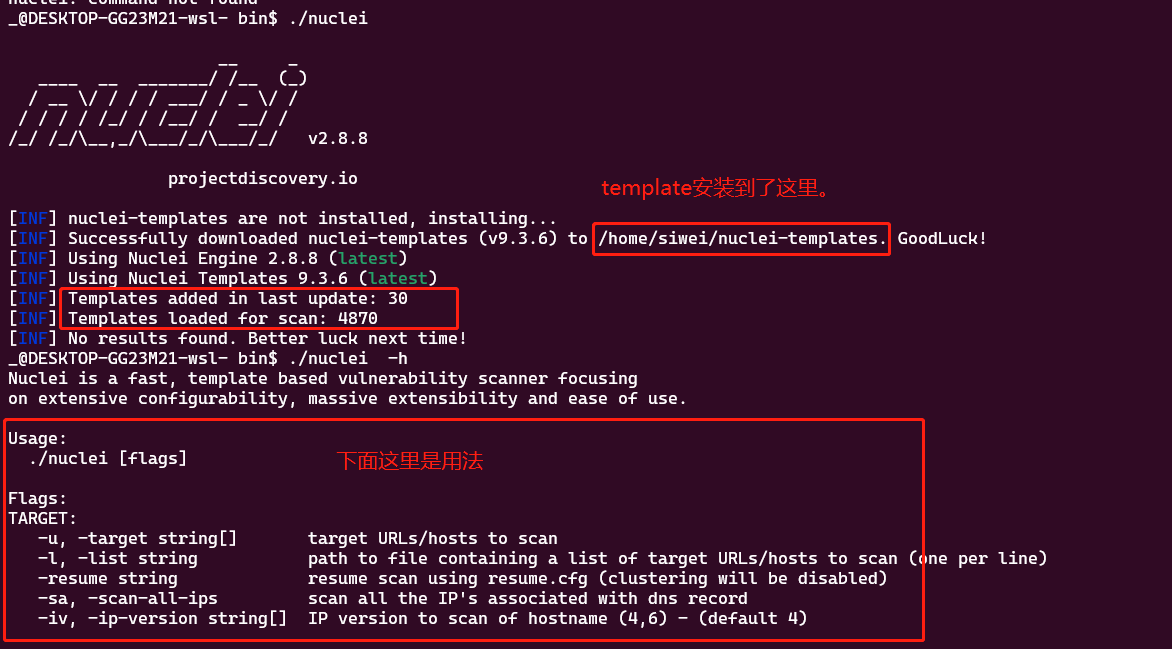
使用 nuclei -h
首次运行: 如果没有template的话会自动下载
快速扫描某个站点
nuclei -u siwei.me
增加debug
nuclei -u siwei.me --debug -v
保存结果到某个文件夹 -irr -me my_result
见下面命令
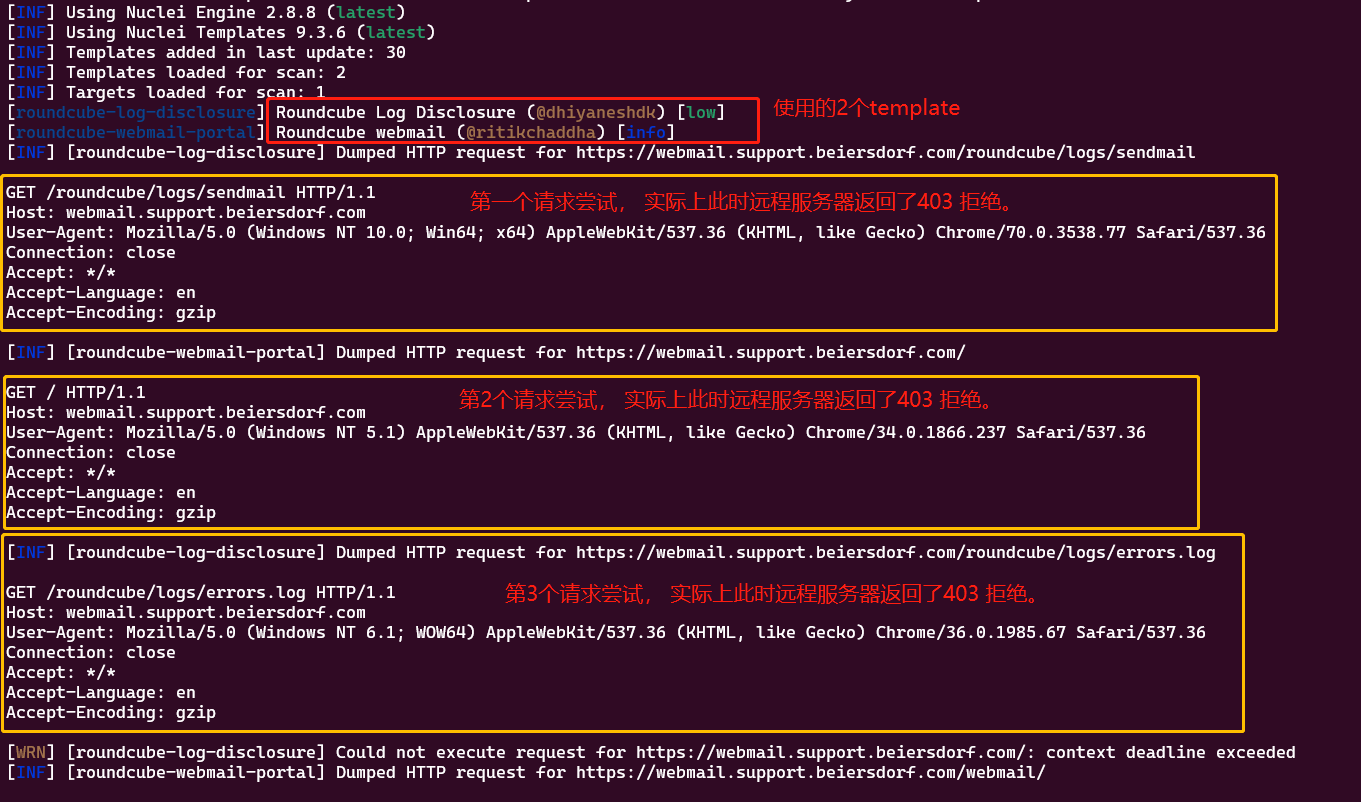
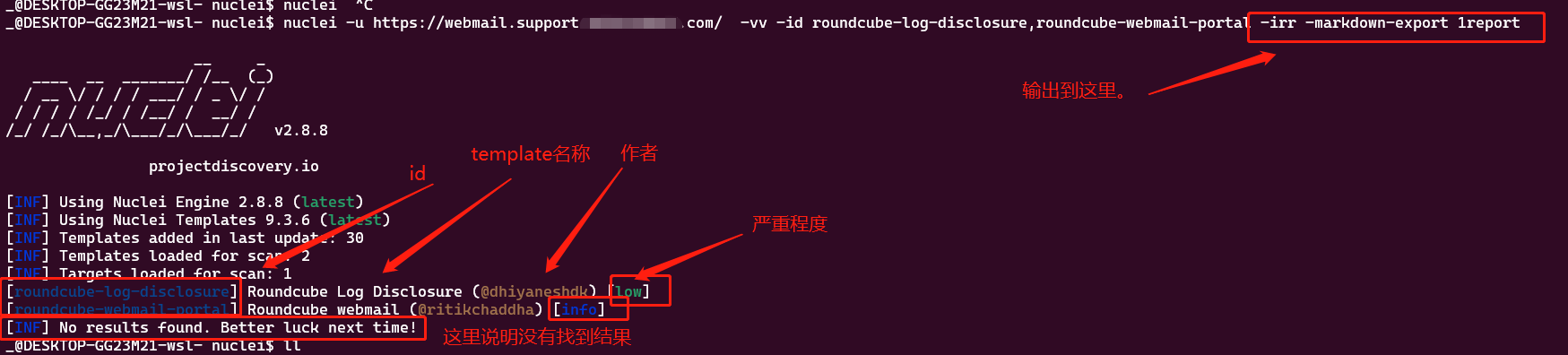
使用特定的template id 来扫描
nuclei -u https://webmail.support.beiersdorf.com/ -vv -id roundcube-log-disclosure,roundcube-webmail-portal -irr -markdown-export 1report -debug -v
查看 template id
find ~/nuclei-templates | grep roundcube
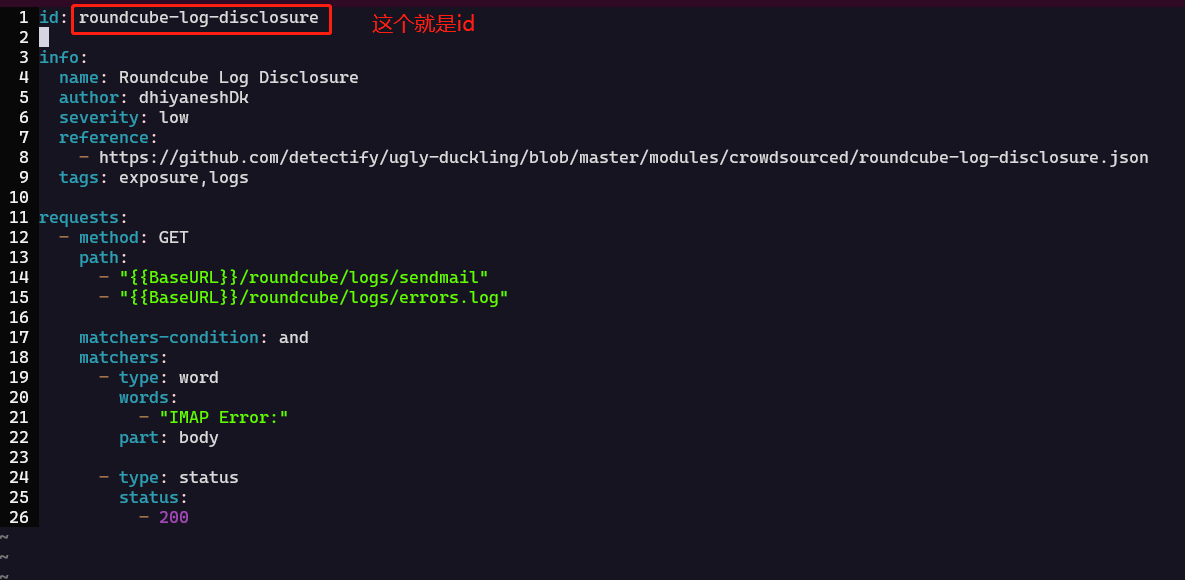
./exposures/logs/roundcube-log-disclosure.yaml
./technologies/roundcube-webmail-portal.yaml
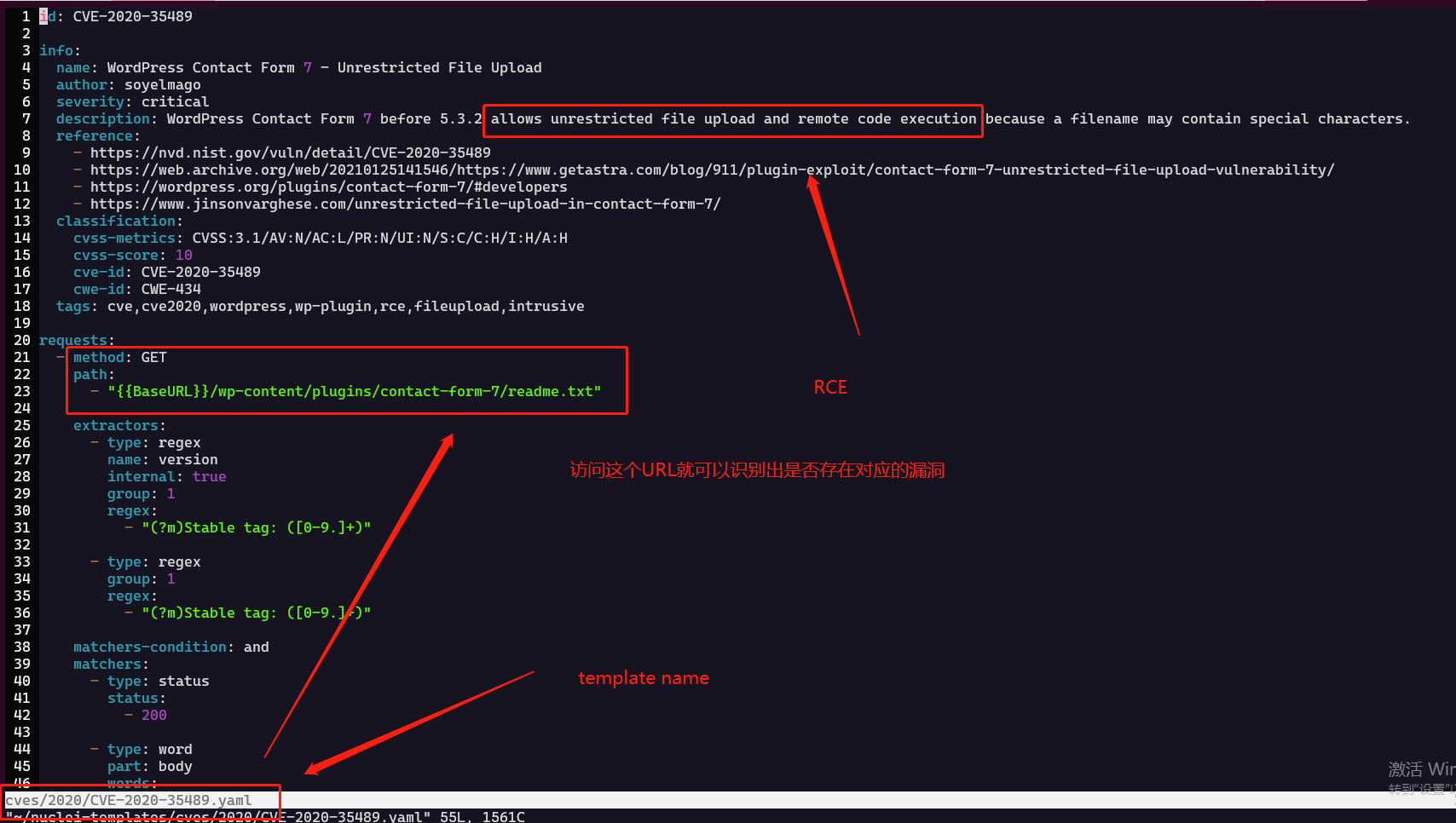
打开之后可以看到id 以及 其他的基本信息
severity (严重程度, 是sev.. 不是 serv...) 的级别: info, low, medium, high, critical, unknown...
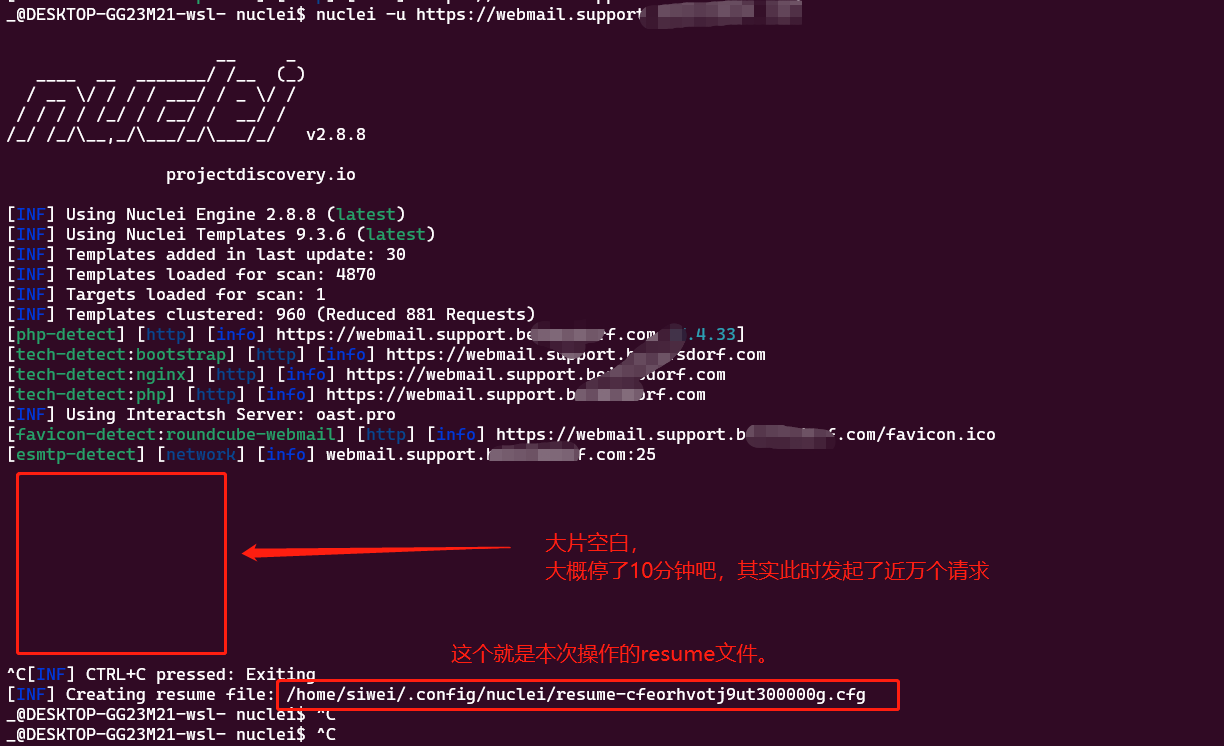
请求数量过多,如何恢复?
当请求过多,没有-debug参数时,会发现屏幕一直被卡住,所以按ctrl + c 会自动生成一个resume.cfg文件;
对它恢复使用:
nuclei -resume /home/siwei/.config/nuclei/resume-cfeorhvotj9ut300000g.cfg -debug
查看debug的各种输出:
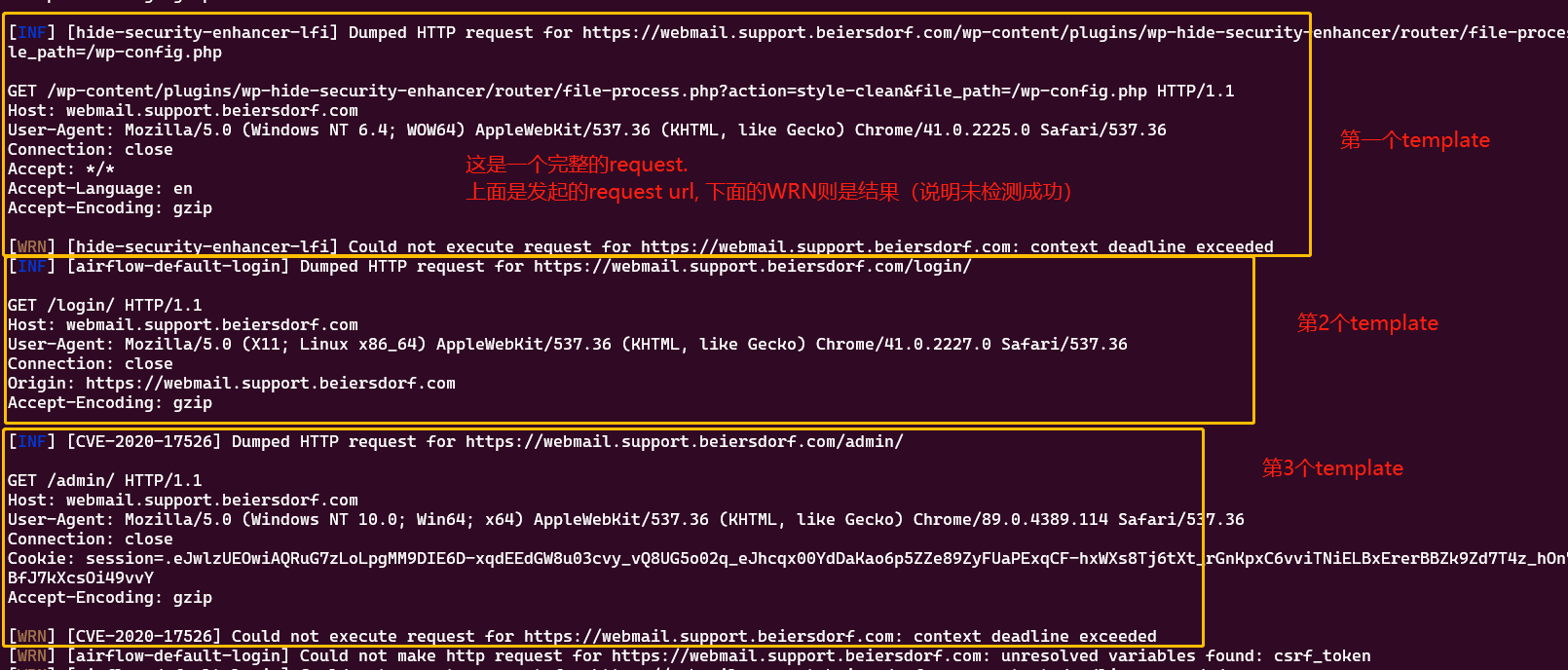
一般的输出:
再来个文字版吧:
[email-extractor] [http] [info] http://siwei.me [[email protected]]
[ id ] [返回的结果]
_@DESKTOP-GG23M21-wsl- bin$ ./nuclei -u http://siwei.me

                     __     _
   ____  __  _______/ /__  (_)
  / __ \/ / / / ___/ / _ \/ /
 / / / / /_/ / /__/ /  __/ /
/_/ /_/\__,_/\___/_/\___/_/   v2.8.8

                projectdiscovery.io

[INF] Using Nuclei Engine 2.8.8 (latest)
[INF] Using Nuclei Templates 9.3.6 (latest)
[INF] Templates added in last update: 30
[INF] Templates loaded for scan: 4870
[INF] Targets loaded for scan: 1
[INF] Templates clustered: 960 (Reduced 881 Requests)
[nginx-version] [http] [info] http://siwei.me [nginx/1.10.3]
[email-extractor] [http] [info] http://siwei.me [[email protected]]  后面这个是邮箱的结果
[INF] Using Interactsh Server: oast.fun
[http-missing-security-headers:clear-site-data] [http] [info] http://siwei.me
[http-missing-security-headers:cross-origin-embedder-policy] [http] [info] http://siwei.me
[http-missing-security-headers:access-control-expose-headers] [http] [info] http://siwei.me
[http-missing-security-headers:access-control-max-age] [http] [info] http://siwei.me
[http-missing-security-headers:access-control-allow-headers] [http] [info] http://siwei.me
[http-missing-security-headers:strict-transport-security] [http] [info] http://siwei.me
[http-missing-security-headers:content-security-policy] [http] [info] http://siwei.me
[http-missing-security-headers:x-frame-options] [http] [info] http://siwei.me
[http-missing-security-headers:x-content-type-options] [http] [info] http://siwei.me
[http-missing-security-headers:access-control-allow-methods] [http] [info] http://siwei.me
[http-missing-security-headers:permissions-policy] [http] [info] http://siwei.me
[http-missing-security-headers:x-permitted-cross-domain-policies] [http] [info] http://siwei.me
[http-missing-security-headers:access-control-allow-credentials] [http] [info] http://siwei.me
[http-missing-security-headers:access-control-allow-origin] [http] [info] http://siwei.me
[http-missing-security-headers:referrer-policy] [http] [info] http://siwei.me
[http-missing-security-headers:cross-origin-opener-policy] [http] [info] http://siwei.me
[http-missing-security-headers:cross-origin-resource-policy] [http] [info] http://siwei.me
[waf-detect:nginxgeneric] [http] [info] http://siwei.me/
[nameserver-fingerprint] [dns] [info] siwei.me [f1g1ns1.dnspod.net.,f1g1ns2.dnspod.net.]
[openssh-detect] [network] [info] siwei.me:22 [SSH-2.0-OpenSSH_7.2p2 Ubuntu-4ubuntu2.4]
根据tags来进行查询:(tags) 与输出 ( -irr: 包含request/response, -o, -me markdown, -se sarif format
nuclei -u siwei.me -tags ruby,rails,refinery,linux,ubuntu -irr -o result1 -me result2 -se result3
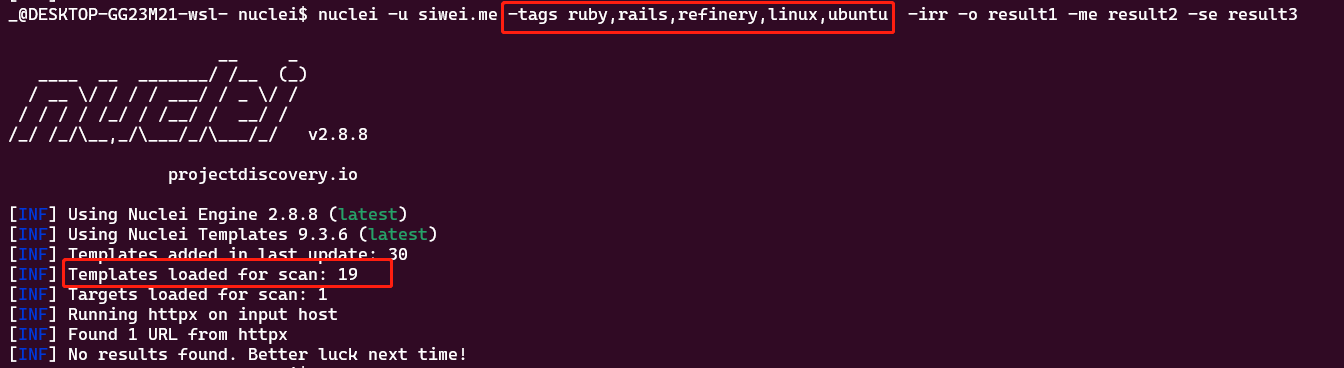
-td 列出tag content
可以看到各种 template / tag的正文内容
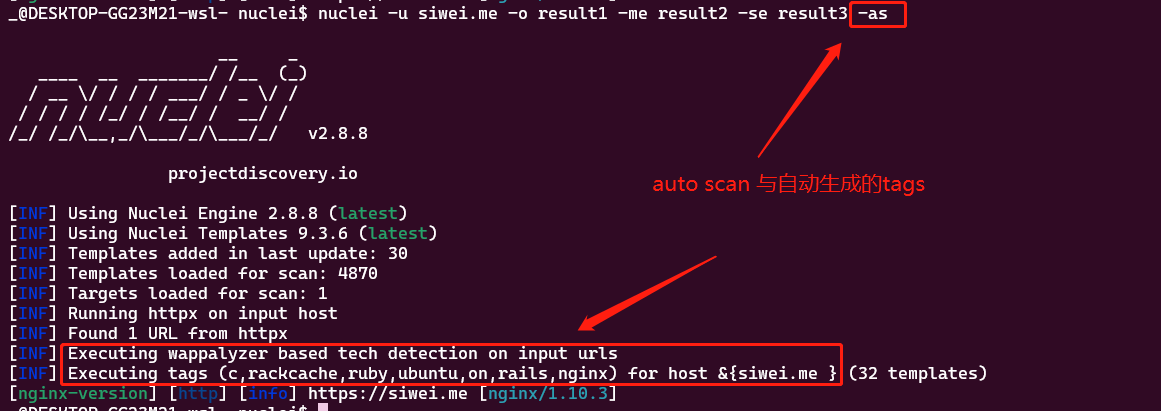
-as automatic scan
会自动帮我们进行判断,设置tag
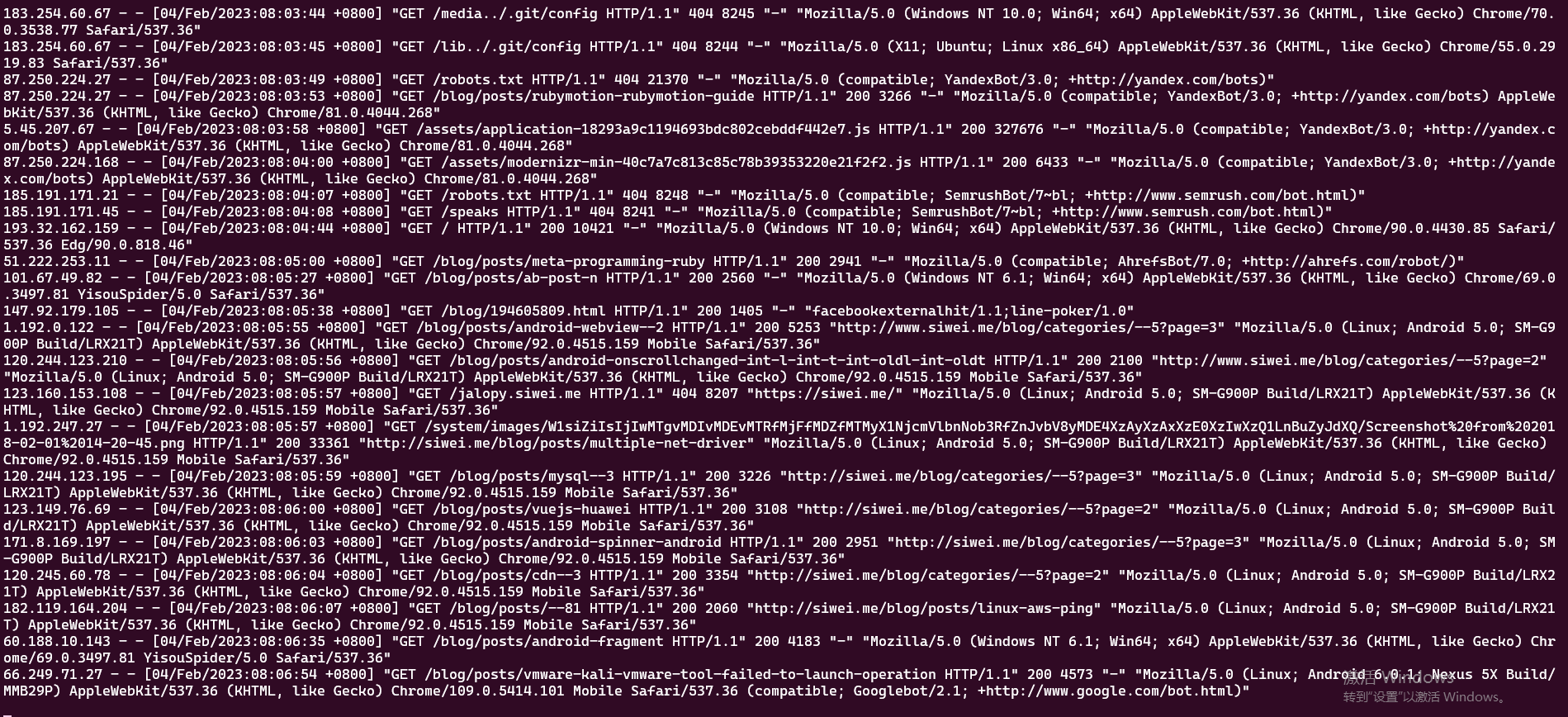
此时被扫描的服务器的日志:
扫描结果
可以通过 参数来指定扫描结果,保存到文件(json 格式) -se file_name
"nuclei -u https://banana.com -se nuclei_result_banana.com -as
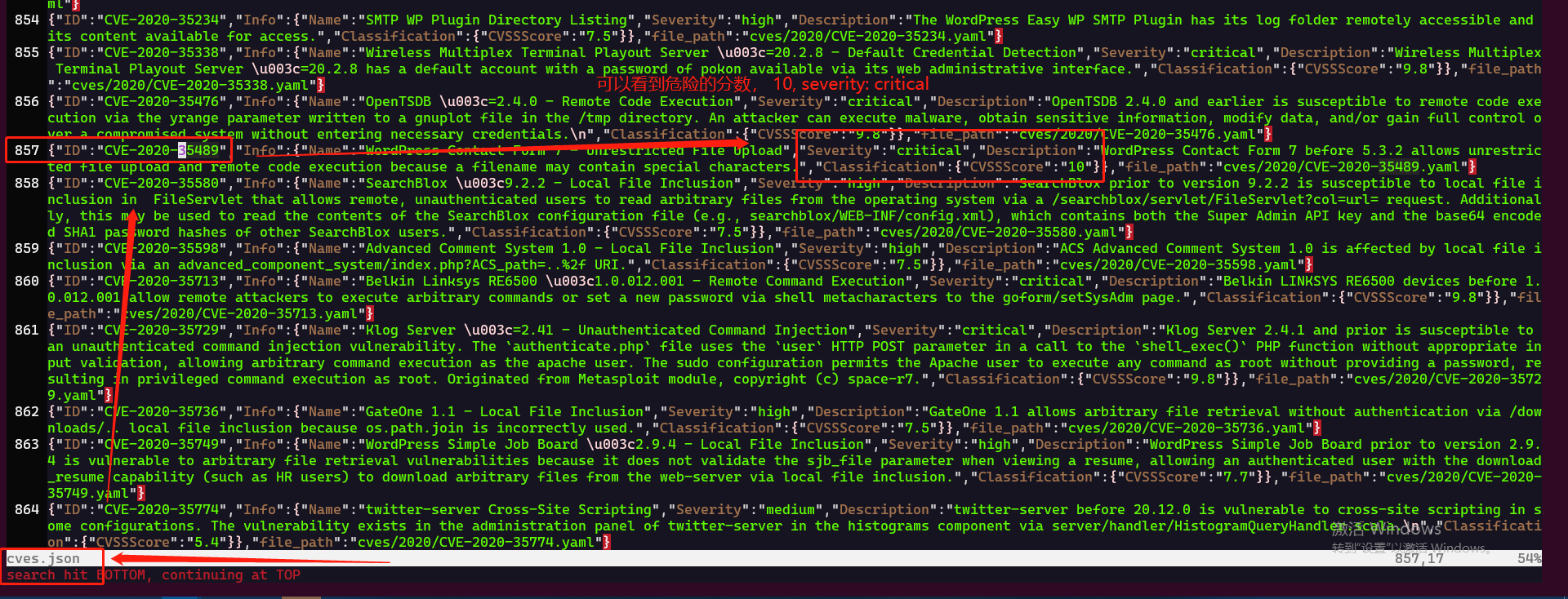
批量检测后,得到的结果是这样的:

我们看一个:
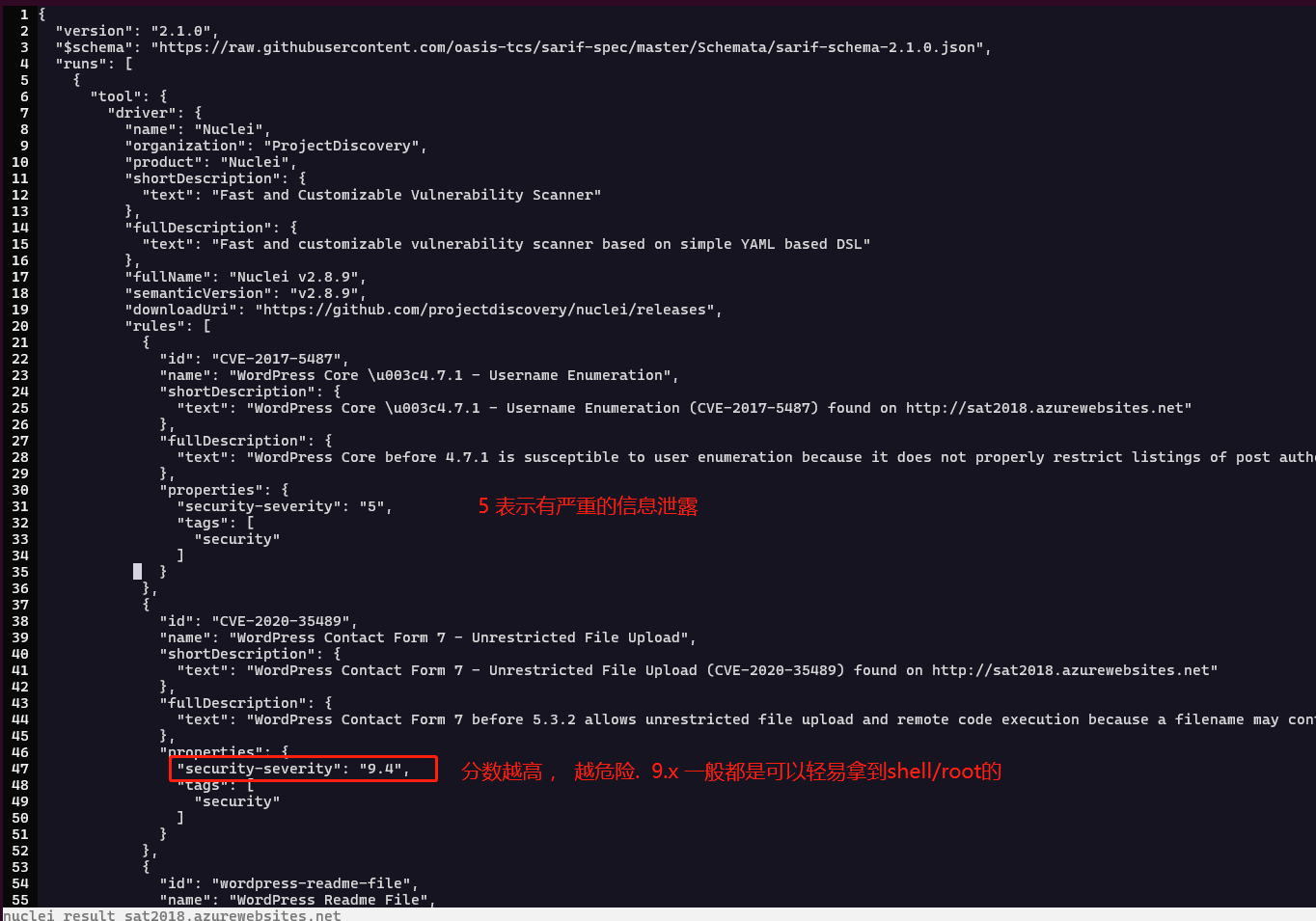
可以根据这个 ID查询 到对应的template:

根据template 查询到对应的内容,然后自行去找如何利用该漏洞的方式: